See everything installed on your dev machine.
One local scan maps your packages, repos, runtimes, containers and AI agents into a clear architecture view — so you know what is installed, why it is there and what changed.
Apple Silicon & Intel. Other platforms: build from source.
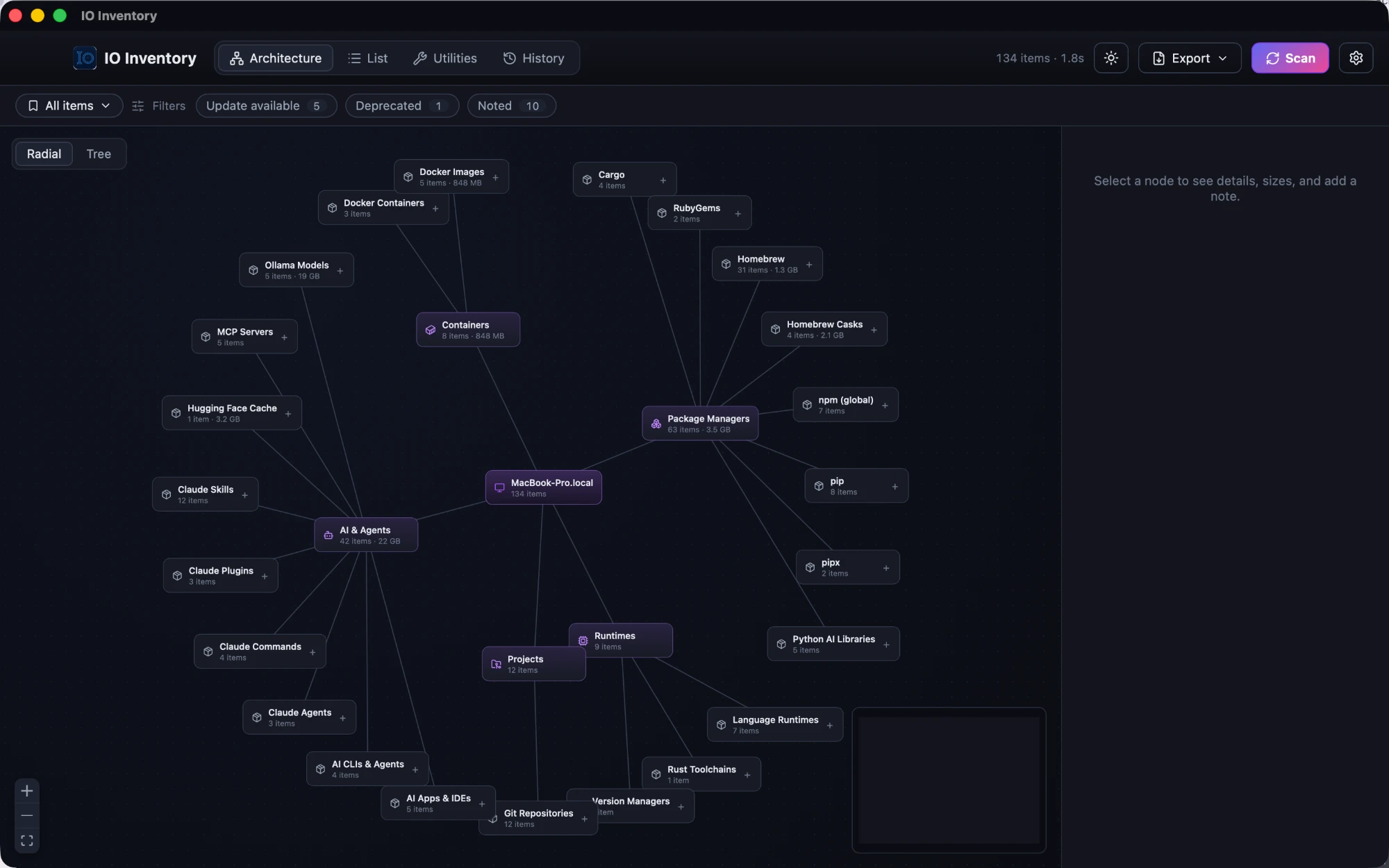
Three moments where IO Inventory earns its keep.
Move to a new machine without cloning the old mess
A fresh laptop is a chance to start clean — but only if you know what your old setup depended on. Snapshot your environment, move over, and see what's missing so you reinstall only what you actually use.
See what your AI coding tools have installed
Coding agents install packages, CLIs, runtimes, MCP servers and dependencies while they work. IO Inventory gives you one place to see what's accumulated, where it came from, and what's safe to remove.
Give new developers a known-good setup
Teams run on an unwritten list of tools and local dependencies. Snapshot a working environment and share it — teammates compare their machine against it and install what's missing.
Your agent can query the same inventory. The bundled MCP server can expose inventory, search and snapshot context to compatible AI clients — read-only by default unless you configure otherwise.
Find what's installed. Know what changed.
Compare snapshots to see what's added, missing or changed, then bulk-install what's missing.
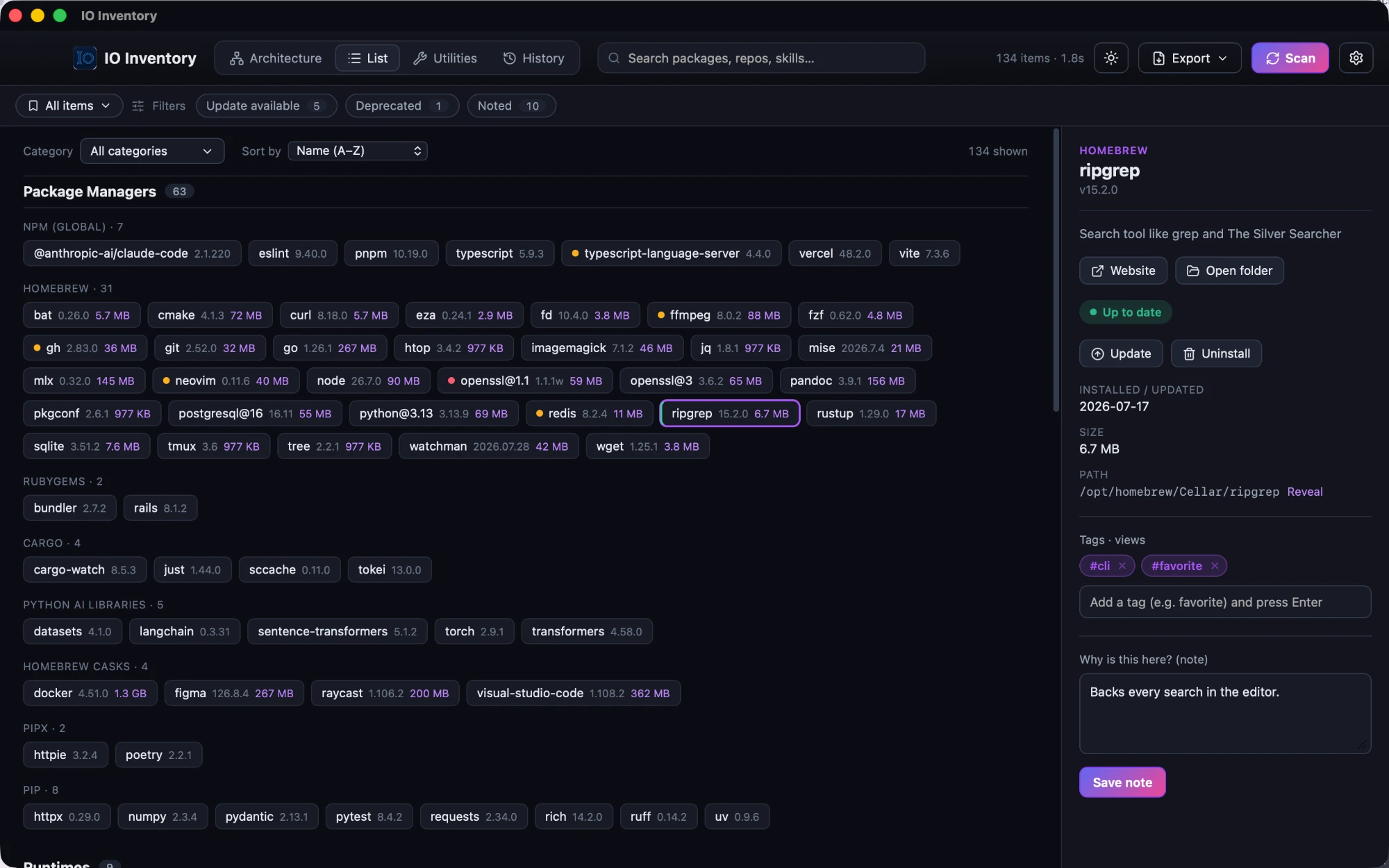
Search, tag, and update or uninstall supported items with explicit confirmation.
What it scans.
A representative look, not an exhaustive list.
Package managers
- Homebrew
- npm / pnpm / yarn
- pip / pipx
- cargo
Runtimes
- Node.js
- Python
- Rust
- Go
Projects
- Local git repos
- Recent workspaces
- Dependency manifests
AI & agents
- Claude Code, Cursor, Codex
- MCP servers
- Ollama models
Containers
- Docker images
- Volumes
- Running containers
Your machine data stays on your machine.
-
Everything runs locally.
Scans, storage and the UI all run on your machine. Nothing is uploaded.
-
No usage tracking.
IO Inventory doesn't collect analytics or track how you use it.
-
Checks GitHub for updates.
IO Inventory pings GitHub's public release API to see if a new version exists — no personal data or identifiers are sent.
-
Secrets are never read or stored.
API keys and tokens are not read or stored — IO Inventory may detect the presence of supported configuration files, never their values.